

Free Shipping
Free standard shipping on all orders
Free Shipping
Free Returns
Learn More.
Free Returns


What are the main differences between Plaud Note Pro and Plaud Note?
Plaud Note Pro is the most advanced AI note taker in the lineup. Plaud Note Pro offers several key upgrades over Plaud Note:
- Voice pickup & recording: Plaud Note Pro has a superior microphone setup with 4 MEMS mics and 1 VPU, enabling clearer voice capture up to 16.4 ft, compared to the 2 MEMS mics and 1 VPU on the Plaud Note with a 9.84 ft range.
- Display: Plaud Note Pro features an AMOLED display for better visibility, while Plaud Note lacks a display.
- Battery: Plaud Note Pro has a larger 500mAh battery, supporting up to 50 hours of continuous recording, whereas Plaud Note has a 400mAh battery with 30 hours of continuous recording.
- Recording mode: Plaud Note Pro includes a smart dual-mode for automatic mode switching, while the Plaud Note requires manual mode switching.
- Bluetooth: Plaud Note Pro supports BLE 5.4 for better connectivity, while Plaud Note only supports BLE 5.2.
What are the main differences between Plaud Note Pro and Plaud NotePin?
- Plaud Note Pro is Plaud’s most advanced AI note taker, designed for professionals that want to capture both in person conversations as well as phone calls, and want the top of the line audio recording range and battery life.
- Plaud NotePin, on the other hand, is Plaud’s smallest, wearable AI note taker, ideal for professionals that are on the go and have most of their conversations in person.
How is Plaud better than using a phone app?
Plaud provides many advantages over recording with your smartphone, including:
- Extended Battery: Up to 50 hours on the Plaud Note Pro.
- Long Range Capture: State of the art microphones capture clear audio from greater distances (e.g., up to 5 metres for Plaud Note Pro).
- Convenient Form Factor: One press to record makes it extremely easy and seamless to start capturing conversations. With a phone, the experience looks like:
- Pausing the conversation to pull out the phone.
- Unlocking the phone.
- Opening the recording app.
- If you switch apps or get a phone call, the recording stops
4. Summary Templates: Plaud automatically transcribes and summarizes your conversations with AI. You can build your own custom summary template, or pick from thousands of professional summary templates for every use case and industry.
How is Plaud better than the online notetakers like Microsoft Copilot or Google Meet?
Plaud is designed for universal professional coverage across all scenarios:
- Plaud captures every conversation, not just online conferencing—in-person meetings, phone calls, and even conference keynotes.
- Dedicated hardware provides 10x more convenience and avoids disruption vs. launching a computer/phone application in an in-person setting.
- Create your own custom summary template or pick from 10,000+ professional summary templates tailored precisely to your professional role or industry.
Who are the typical users of Plaud?
Plaud is used by over 3 million working professionals, many of which rely heavily on meetings and conversations, including roles such as:
- Executives
- Managers
- Sales
- Lawyers
- Consultants
- Educators
Is Plaud HIPAA / SOC 2 / GDPR / EN 18031 / ISO 27001/ 27701 compliant?
Yes! Privacy and data security are at the core of Plaud. Plaud adheres to the highest compliance standards including SOC 2 Type 2, HIPAA, GDPR, ISO 27001/27701 and EN 18031.
What about consent for recording?
Before capturing a conversation, it’s good practice to give others a quick heads-up. Local regulations differ, so if you’re unsure, a quick check helps you stay confident.
Not sure how to ask for consent? Here is an easy one-liner:“Mind if I use my AI note-taker so I don’t miss any details/follow-ups from our chat? I can share the notes with you after as well.”
Do I have to pay a monthly fee to use Plaud?
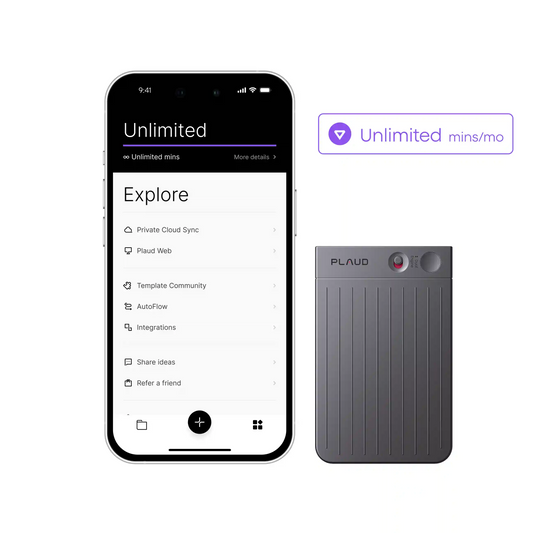
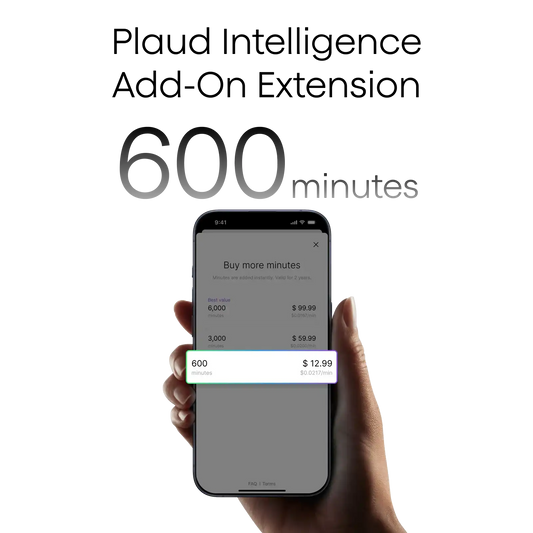
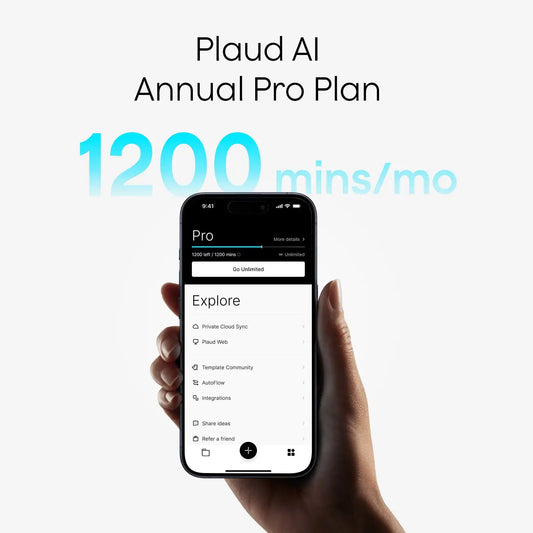
You do not! Plaud is free to use for up to 300 minutes every month. However, we do have Plaud AI membership plans for professionals that use it every single day.
Can Plaud record in larger spaces? Big meeting rooms, conferences, etc.
Yes, Plaud is engineered to record effectively in larger spaces such as big meeting rooms, lecture halls, and conferences.
How do I update the firmware for my Plaud Note Pro?
Keeping the firmware up-to-date can help ensure the best and most current experience with the Plaud Note Pro.Before updating, please ensure that the Plaud Note Pro meets the following three conditions:
- Keep the Plaud Note Pro charging (using a charger, not connected to a computer).
- Ensure the Plaud Note Pro is not in recording mode.
- Connect your Plaud Note Pro to the Plaud App first.
To update the firmware, please follow the steps below:
- Enter the Plaud App to access your Plaud Note Pro.
- Enter your device and tap on "Firmware update." The system will automatically check your current version. "Up to Date" means your firmware is the latest version.
How do I find the Serial Number of my Plaud Note Pro?
If you're searching for the Serial Number (SN) of your recorder, there are several locations to check:
- Inspect the box that the recorder arrived in. The SN is imprinted on a label on the back of the box.
- Open the Plaud App and enter the device settings page. The SN is displayed on this page.
Is the recording quality of the Plaud Note Pro better than the Plaud Note?
Yes. The Plaud Note Pro uses a four-microphone array, with two microphones on each side of the top and bottom. The increased number of microphones directly improves the sound pickup capability.
How does the Plaud Note Pro automatically switch between two recording modes?
The Plaud Note Pro can detect the recording status through the sensor inside and switch the recording mode automatically. The sensor can detect the Plaud Note Pro's status: placed vertically or horizontally.